
Originally Posted On: https://fello.com/blog/medical-conference-check-in-how-to-plan-badges-and-registration
Key Takeaways
-
Plan medical conference check-in around the opening-morning surge, since that single window sets lane counts, staffing, and hardware quantities for the whole meeting.
-
Separate lanes for pre-registered attendees, faculty, exhibitors, and staff, and keep walk-up registration and correction desks apart so one problem never stalls a full line.
-
Decide early which badges to print ahead of time and which to print on demand, then match printer counts, badge stock, and spares to that split.
-
Treat connectivity as part of the registration plan: venue Wi-Fi, cradle routers, and satellite internet can each serve as a primary or backup connection, depending on the convention center.
-
Use configured, labeled iPads, scanners, and printers for each check-in station, so volunteers with short training windows can turn them on and start working.
-
Build a timeline that runs from registration flow and hardware quantities months out, through dry runs and delivery windows, to returns and scan data handoff after the meeting.
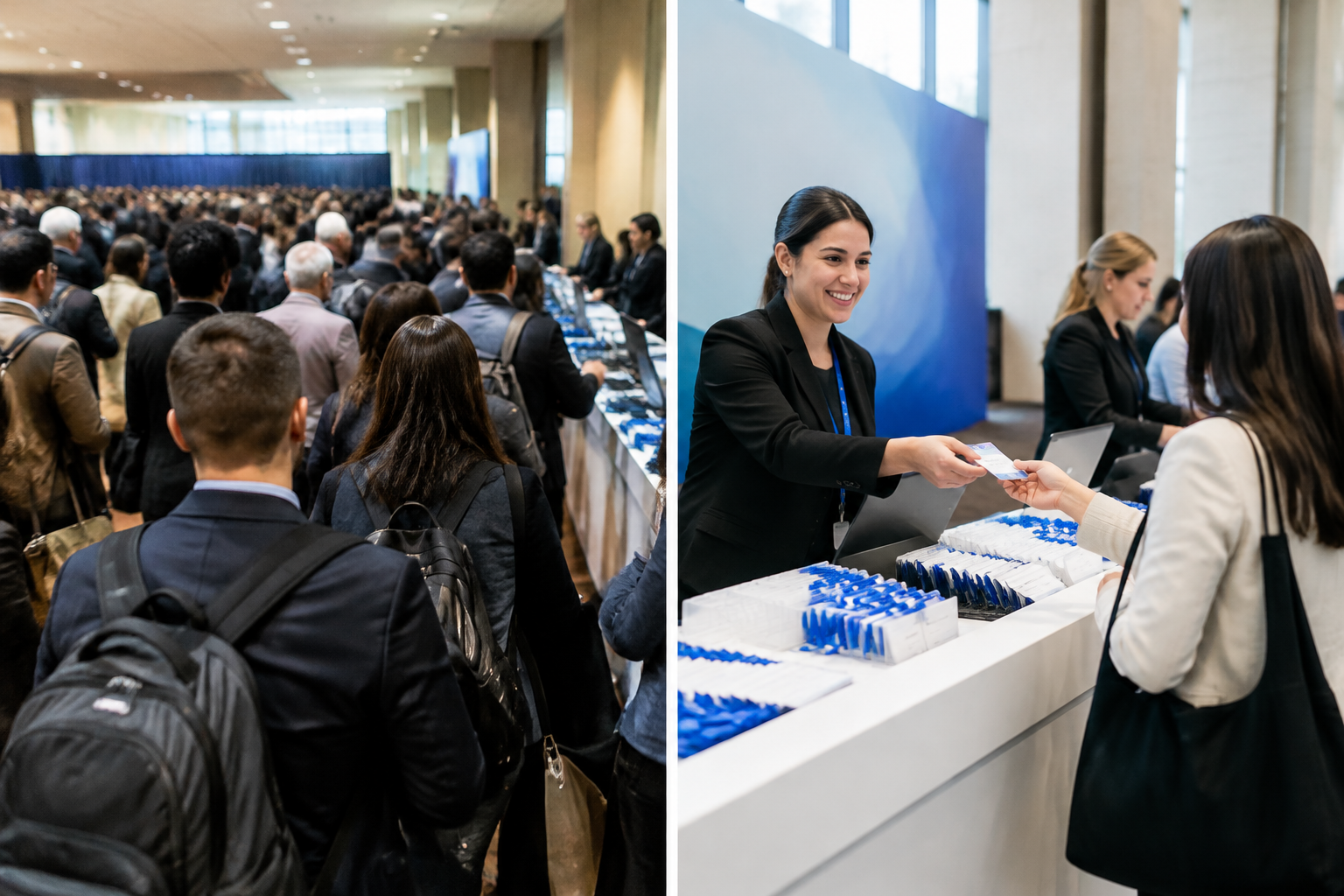
Medical conference check-in gets judged in the first 90 minutes. Everything after that is recovery. When 3,000 or more attendees reach a convention center on opening morning, the badge line is the first thing every one of them sees, and it sets the tone for the whole meeting.
Directors of meetings at medical societies know the pattern well. Faculty arrive early, exhibitors want their staff badged before the hall opens, and a large share of attendees show up in the same short window. Add walk-ups, name corrections, and a room full of credentialed professionals who don't enjoy waiting, and a small gap in the plan turns into a visible queue.
The good news? Most of it can be planned a year out. Lanes, badge workflow, hardware — connectivity are all decisions, not surprises. And a meeting that repeats every year gets to learn from the last one.
What Medical Conference Check-In Involves for Annual Society Meetings
A society's doors open at 7:00 AM for the annual meeting. By then, a few thousand physicians, residents, and students have already crowded the registration hall, each holding a confirmation email on a phone. Medical conference check-in is the process that turns that crowd into badged, session-ready attendees without stalling the first plenary.
The Opening-Morning Surge and Why It Drives Every Other Decision
Arrivals do not spread evenly. Most attendees want a badge before the first session, so demand peaks within a narrow window. That peak, not the daily average, sets the number of stations, printers, and staff.
Connectivity matters here. Scanning and badge printing depend on a live connection, and convention center house networks can be costly or throttled. Planners often price a dedicated option such as medical conference wifi rental early, before the floor plan is locked.
Plan for the peak. Everything else follows.
Roles Check-In Has to Serve: Attendees, Faculty, Exhibitors, and Staff
One registration desk rarely fits every badge type. Each group arrives with different needs:
-
Attendees: pre-registered members, walk-ups, and trainees who need on-demand badge printing.
-
Faculty and speakers: a separate lane, plus a route to the speaker ready room.
-
Exhibitors: badges and access to lead retrieval hardware before the exhibit hall opens.
-
Staff and volunteers: quick credentials and a clear escalation path when a scan fails.
Separate lanes keep a faculty member with a session in ten minutes from waiting behind a walk-up. They also let the team size each queue on its own.
Planning Registration Throughput and Queue Management for a 3,000+ Attendee Opening
Opening morning is where Medical conference check-in succeeds or stalls. Arrivals bunch up before the first plenary, and a single line cannot absorb that. Planners who treat throughput as a floor-plan question, not a headcount question, tend to see shorter waits. For meetings that need configured stations in many rooms, medical conference technology rentals can supply the hardware side of that plan.
Mapping Attendee Types to Separate Lanes and Stations
Not every arrival needs the same steps. Sort them before doors open.
-
Physicians and clinical members: badge scan and print only.
-
Nursing, student, and resident attendees: same flow, separate signage if verification is needed.
-
Speakers and faculty: a dedicated station near the ready room.
-
Exhibitors and sponsors: their own lane, away from the main hall.
Self-service kiosks can take the simplest group. A tablet-based setup, such as a Medical conference iPad rental, suits staffed stations that need quick lookups.
Walk-Up Registration and Correction Desks Kept Apart from Pre-Registered Lines
Keep exceptions out of the fast line. One misspelled name or missing payment can hold up forty people behind it. Place walk-up and correction desks to the side, with their own printers and staff. Pre-registered attendees should never wait behind them.
Staffing and Volunteer Briefing for Short Training Windows
Training time is short, so keep it narrow. Give each person one station and one task. Hand out a one-page card with the three most common problems and who to call. Run a brief walk-through the afternoon before, using identical, pre-configured devices so every station behaves the same way.
Badge Printing Options: Pre-Printed, On-Demand, and Hybrid Approaches
How many badges can a team realistically hand over in the first hour of a 3,000-attendee opening morning? The printing method decides the answer. Medical conference check-in runs on one of three models: pre-printed, on-demand, or a mix of both.
Pre-printed badges are sorted in advance, so pickup is fast.
On-demand printing creates each badge at the desk, which handles late changes well. A hybrid model prints for the confirmed list and keeps printers ready for everyone else.
Deciding What Gets Printed Ahead of Time and What Waits for Arrival
Most association meetings land on the hybrid approach. Print early for faculty, board members, and speakers, since their details rarely change. Hold the rest of the registration list for on-demand printing.
-
Print ahead: faculty, symposium chairs, and sponsor staff.
-
Print at arrival: walk-ups, name or credential corrections, and exhibitor swaps.
-
Hold for review: student and nursing registrations with pending verification.
Badge Stock, Printer Counts, and Spare Supplies Planning
Printer count should follow peak arrival volume and print speed from the manufacturer's specifications, not a general rule. Stock should cover the full registration list plus extras for reprints. Order a few spare ribbon or label rolls per printer, and store them at the desk.
Hardware can be configured ahead of time. A pharmaceutical conference iPad rental setup, for example, can be preconfigured with the required apps and settings for each registration lane, and the rental comes with remote help. Label every printer and tablet by station before shipping.
Hardware and Connectivity Setup for Check-In Stations
Verifone's published boilerplate cites roughly 2,500 payment and POS platform integrations, a reminder that registration hardware only works when every piece is paired before it ships. Medical conference check-in follows the same rule. A 3,000+ attendee opening morning leaves no slack for configuring devices at the venue.
iPads, Scanners, and Printers Delivered Configured and Labeled per Station
Planners often start with a station map, then assign hardware to each position. Each station can be preconfigured with the required apps and settings, then labeled so volunteers know where it belongs. A typical station group includes:
-
iPads for lookup and self-registration
-
Barcode or badge scanners for session and entry access
-
Badge printers for walk-ups and on-demand reprints
A medical conference check-in system rental can arrive kitted per station, which shortens setup on load-in day. The provider supplies and configures the hardware only. The registration platform and attendee data stay with the society's own account. iPad is a trademark of Apple, Inc., and the rental provider is not affiliated with Apple, Inc.
Convention Center Internet: Venue Wi-Fi, Cradlepoint Routers, and Satellite as a Primary or Backup Connection
House Wi-Fi in a convention center can be costly or throttled. So plan the connection before the floor plan is final.
-
Venue Wi-Fi: check the provider's published requirements for your registration platform.
-
Cradle routers: a portable LTE router can serve a shared local network indoors, where cellular coverage is adequate.
-
Satellite: in many setups, it works as a primary or backup link when venue internet falls short. The terminal sits outdoors with a clear view of the sky and is cabled in to feed the indoor network.
Count only the devices that will be active at the same time on the rental network. Capacity depends on the setup, so confirm it with the platform's own documentation. For help matching a connection to a venue, see Event Tech Rentals.
An Annual Meeting Planning Timeline for Registration and Badge Operations
Medical conference check-in is not decided on opening morning. It is decided by the calendar, and most problems trace back to choices made months earlier.
Months Out: Registration Flow, Hardware Quantities, and Venue Coordination
Start with last year's attendance records and this year's forecast. Map the registration flow for pre-registered attendees, walk-ups, speakers, and exhibitors as separate lanes. Each lane needs its own station count, set by throughput during the busiest hour, not by total headcount.
-
Hardware quantities: count stations, badge printers, and scanners that will run at the same time.
-
Venue coordination: confirm network access, power, and delivery dock details with the convention center.
-
Device choice: teams that rent iPad Pro for event check-in stations should settle stands, cases, and printers early.
Final Weeks: Dry Runs, Delivery Windows, and Support Options Through Event Tech Rentals
Run a full dry run with volunteers and staff. Print sample badges, scan a test credential at every station, and time each lane. Fix queue layout while changes are still cheap.
Schedule delivery so hardware arrives before setup begins, with time to unbox and test. Event Tech Rentals ships devices that can be preconfigured with required apps and settings, and remote support is included. On-site technicians and a virtual concierge are optional; details are on the expert support page.
After the Meeting: Returns, Scan Data Handoff, and Notes for Next Year
Pack equipment in its original boxes and foam, and use the prepaid return labels. Export scan data to the society's own systems before devices go back.
Then write notes while memory is fresh: peak-hour lane counts, walk-up volume, and what slowed the line. Next year's plan starts there.
Frequently Asked Questions
What Is Medical Conference Check-In?
It's the process of confirming a registered attendee, handing over a badge, and recording arrival at a medical meeting. At a society's annual meeting, that usually means self-service kiosks, staffed desks, badge printers, and scanners working from one registration platform. The hardware is only one piece, but it decides how fast the line moves.
How Should a Meeting Team Plan Check-In for a 3,000-Attendee Opening Morning?
Start with the arrival pattern, not the headcount. Look at last year's scan timestamps to see when the surge hit, then size stations and staffing to that window. Split lanes by need: pre-printed badges, self-service kiosks, and a smaller desk for walk-ups and problems. Test the full flow, from scan to printed badge, before the doors open.
Are Kiosks Better Than Staffed Desks?
Neither wins alone. Kiosks move attendees who arrive with a confirmed registration, while staffed desks handle name changes, missing records, and questions. Most large meetings run both and send the simple cases to kiosks so staff time goes to the exceptions.
Can Badges Be Printed On Demand for Walk-Ups?
Yes. Badge printers can sit at a desk or inside a kiosk setup and print as each attendee is confirmed. Pair them with a spare printer and extra badge stock, because a printer jam during the opening rush is a very common stall point.
How Does Session Scanning Fit Into Check-In?
Handheld or fixed scanners read the badge at each room entrance, and the registration platform records the scan. Devices can be preconfigured with the required apps and settings, then labeled by room so each one lands where it belongs. What a society does with that attendance data, including any credit reporting, is governed by its own accreditation guidance and advisors. Rented hardware only captures the scan.
What Internet Connection Does Check-In Need?
It depends on the setup. Check the requirements published by the registration or payment platform, and count only the devices that will be connected and active at the same time. Phones and laptops in attendees' pockets don't count toward the event network. When house Wi-Fi is weak or throttled, options include cradle routers, device-level cellular, or a satellite terminal as a primary or backup link. A satellite terminal sits outdoors with a clear view of the sky and feeds a network that serves the indoor space. See the event Wi-Fi options for how each fits.
When Should Hardware Be Booked for an Annual Meeting?
As early as the dates and room blocks are set.
Annual meetings are planned a year or more ahead, so there's no reason to wait. Check current lead times on the rental provider's site, since rush orders can run into inventory gaps.
What Support Is Available During the Meeting?
Remote support is included with a rental. Optional on-site technicians and a virtual concierge are available for larger meetings, and the details are on the expert support page. For a multi-room, multi-day meeting, having someone physically present at the opening is often worth planning for.
Medical conference check-in succeeds or fails in the first ninety minutes of the opening morning. Everything planned in the months before that, from lane design to badge stock, exists to keep that window calm. A meeting director who separates attendee types into their own lanes, keeps walk-up and correction desks away from pre-registered lines, and decides early what prints ahead versus on demand has already removed most of the pressure.
Hardware and connectivity deserve the same discipline. Stations that arrive configured and labeled per location leave volunteers with little to set up, and a convention center connection that is weak can be backed up with a cradle router or a satellite terminal placed outdoors and cabled in. Neither is a cure-all. Each depends on the venue.
The annual cycle is an advantage. Every scan log, queue note, and supply count from this year becomes the starting point for next year's plan.
The next step is concrete. Pull last year's arrival data, list the stations and printers the opening requires, and review the options at Event Tech Rentals alongside the support tiers on the expert support page. Then lock the delivery window before the calendar fills.
Fello
10 Park Pl Ste 503,
Butler, NJ 07405
(888) 528-6288
https://fello.com


